Download the kit.
Right after checkout, you get a download page and an email with your links. Open the planner in Google Sheets or Excel, and save the binder PDF.
The wedding planning kit
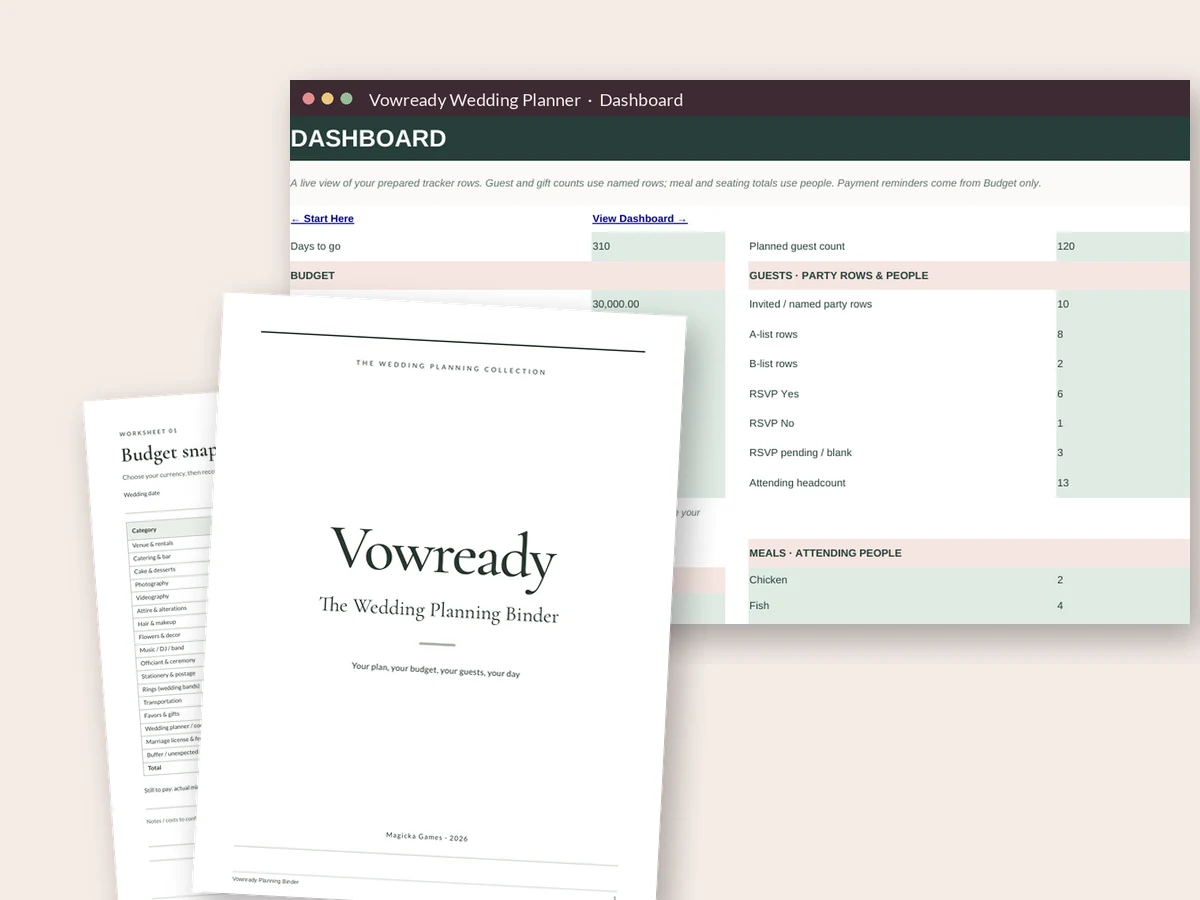
Vowready is a step-by-step wedding plan plus the spreadsheet that runs it. Budget, guest list, vendors, seating and timeline, all in one file you own. You'll know what to do this week, and what can wait.
Get my wedding plan — $27Instant download · Google Sheets + Excel + printable binder · 60-day money-back guarantee
A little less overwhelm
First comes the happy part. Then, often within days, come the questions.
When is the date? How many people? What does a wedding even cost? Who pays for what? Should you book a venue first, or a photographer? People start asking, and you don't have answers yet.
So you open a few apps. You save a lot of photos. You start three lists in three places. Your partner starts a fourth. Nothing talks to anything else, and it still isn't clear what to do first.
That feeling is normal. A wedding is a big project, and most people have never planned one before. Lots of couples hit this moment at the same time of year, too. According to The Knot, December is the most popular month to get engaged.
The fix isn't more inspiration. It's a plan, in order, with one place to keep everything.
Room to breathe
A plan won't make every choice for you. It won't make the day free of stress. What it does is give you a clear path, so you can make choices one at a time.
From download to a plan
Right after checkout, you get a download page and an email with your links. Open the planner in Google Sheets or Excel, and save the binder PDF.
Chapter 1 of the binder walks you through a rough budget, a rough guest count and a date window. These three unlock everything else.
Use the 12-month checklist and the first 30 days guide. Track your budget, guests and vendors in the workbook as you go.
The plan + the place to keep it
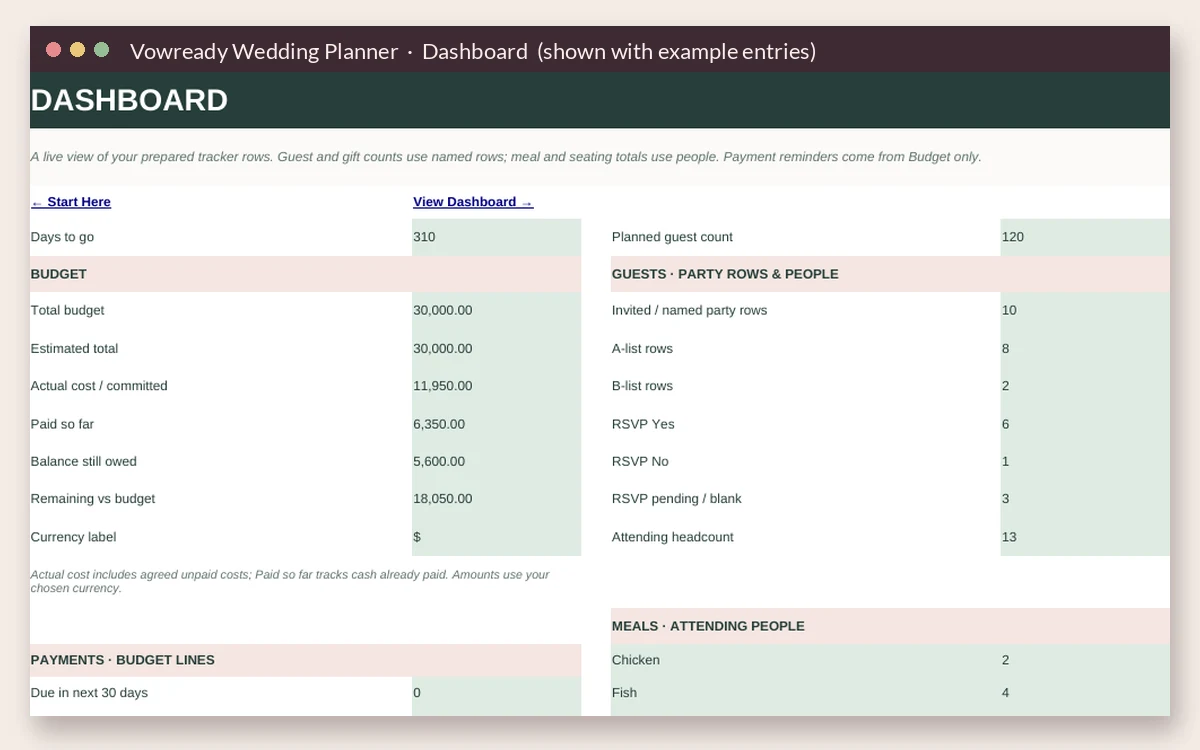
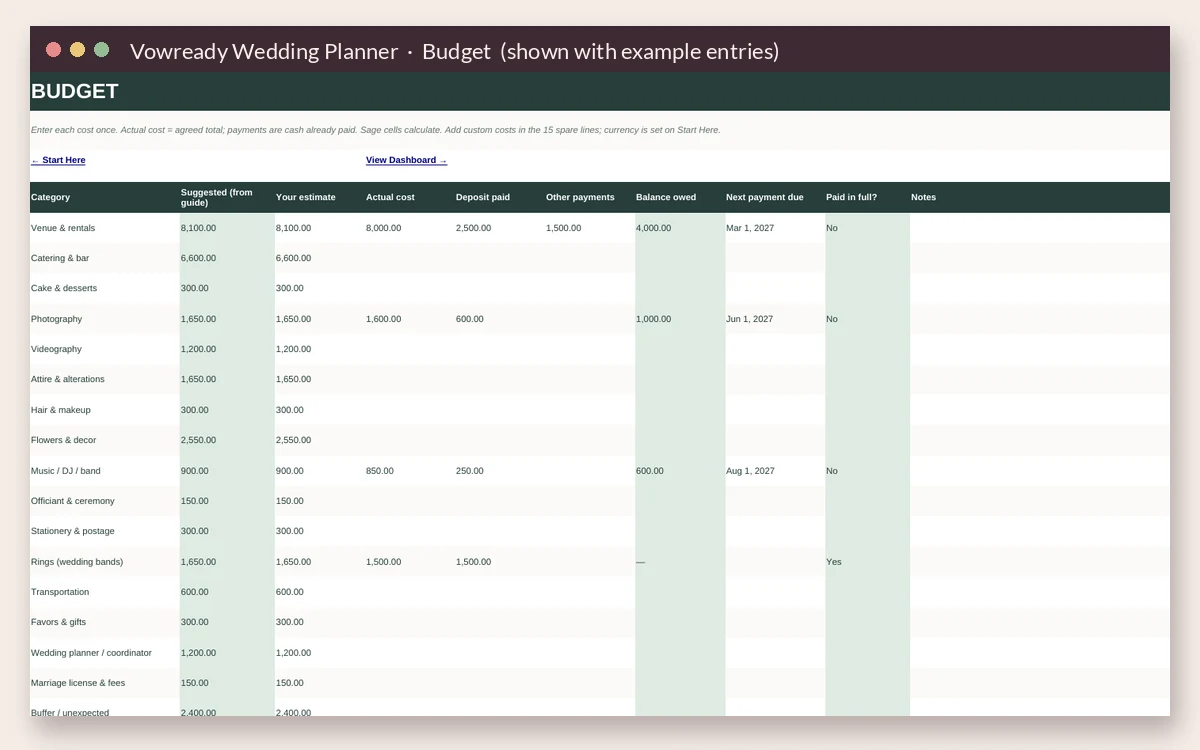
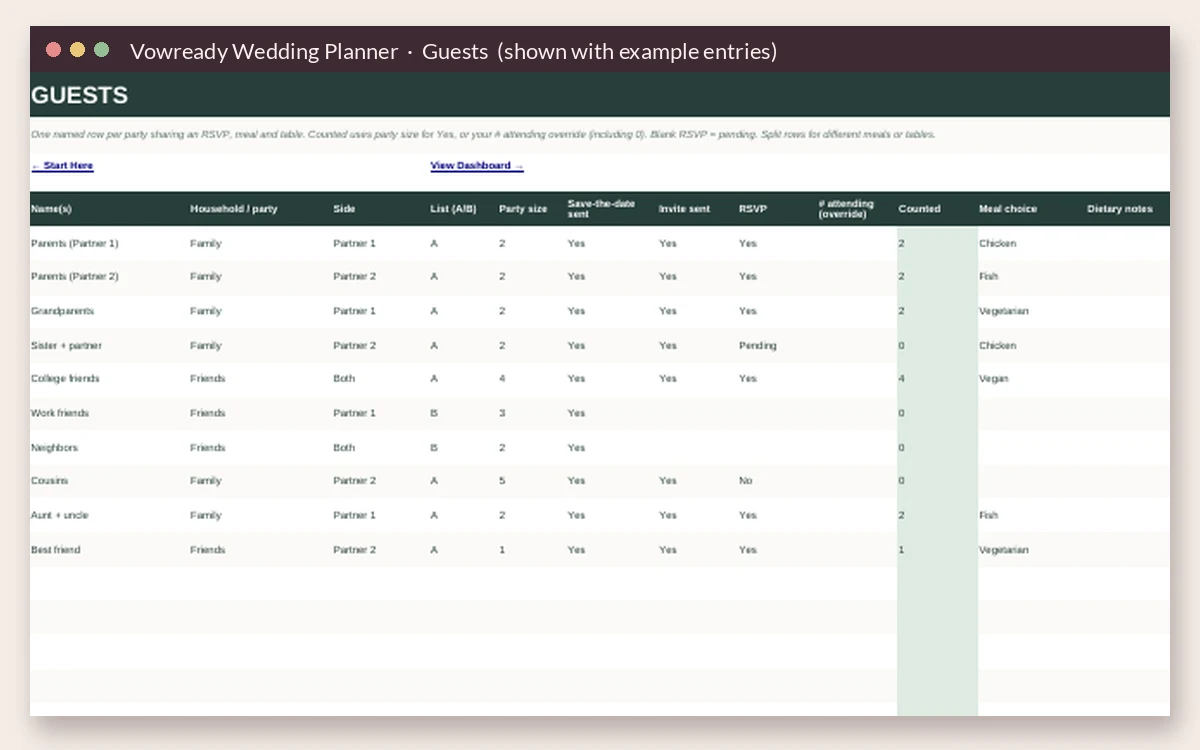
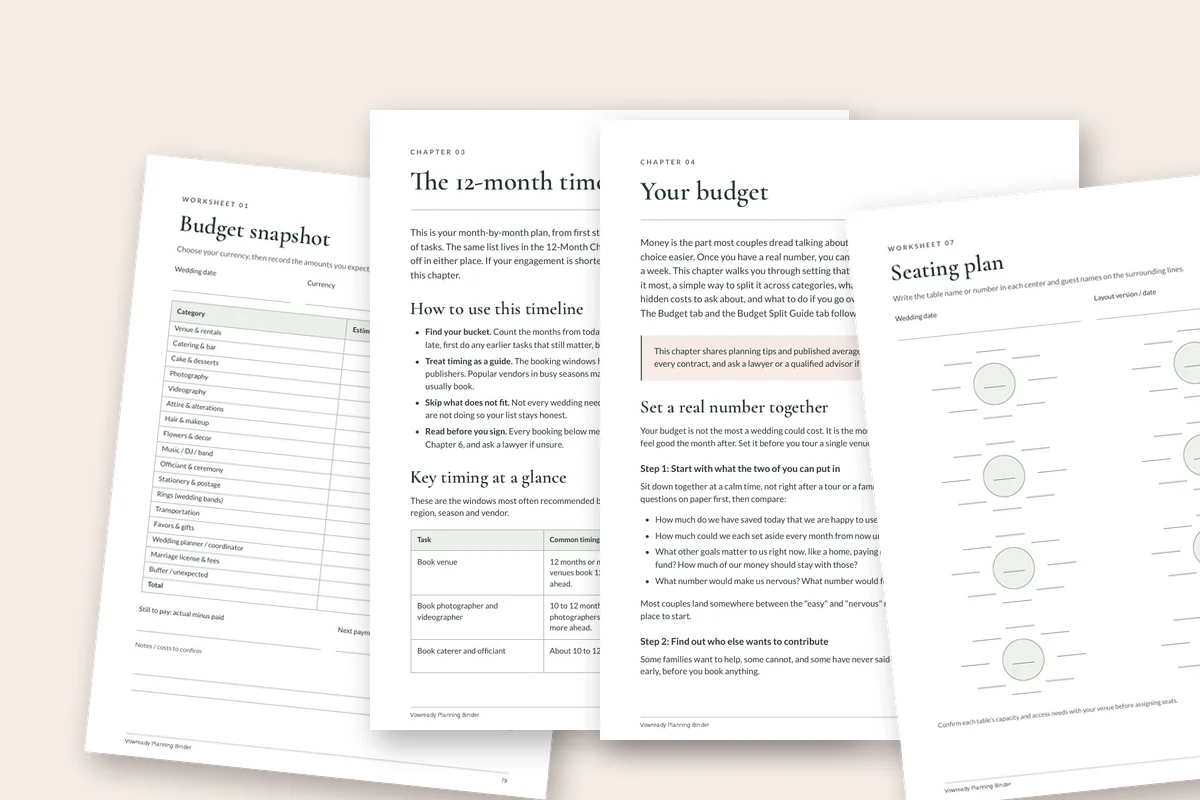
The kit has two parts: a planner workbook and a printable binder. The binder tells you what to do. The workbook is where you keep track.
For Google Sheets and Excel. Works on a laptop, and you can check it on your phone.
A printable PDF in US Letter and A4. Read it on screen or print it out.
Also in the binder:
Instant download · Google Sheets + Excel + printable binder · 60-day money-back guarantee
Your plan, on your terms
Free wedding apps can be great for some things, like a wedding website or a registry. Use them if you like them. Vowready does a different job.
A little clarity before you buy
One kit. One clear next step.
$27 USD
One time. Yours to keep.
Instant download. One payment. No subscription.
60-day money-back guarantee
By purchasing, you agree to the terms of sale and refund policy.
A little peace of mind
Download the kit. Open the workbook. Read the binder. Use it to plan.
If it isn't right for you, for any reason, email emaildevdude@gmail.com within 60 days of buying. Include the email you used at checkout. We'll refund your $27 in full. You don't need to explain.
The refund goes back to the card or account you paid with. Your bank may take a few days to show it.
Good questions
Free apps are fine for many things. This kit gives you something different: a step-by-step plan, in order, plus a spreadsheet you own. There's no app to sign up for and no vendor sales emails. You pay once and keep it.
Either one works. The same workbook opens in both. Pick Google Sheets if you want to share with your partner and edit from any device. Pick Excel if you already use it or you'd rather keep the file on your computer.
Only for the Google Sheets version. A free Google account is enough. If you don't want one, use the Excel file instead.
Yes, for checking and quick updates. Open the workbook in the Google Sheets app or the Excel app. Setting it up the first time is easier on a laptop or tablet. The binder PDF opens on any phone.
Yes. In Google Sheets, click Share and add your partner's email. You can both edit the same file, even at the same time. With Excel, you can share the file through your own cloud storage, like OneDrive.
Yes. The binder has a shorter plan for 6–9 month engagements and another for under 6 months. They show what to book first and what you can simplify.
Yes. The workbook is fully editable. Rename budget categories, add guests and vendors, and change the budget split numbers. The binder is a PDF for reading and printing. Its worksheets are made to print and fill in by hand.
Email emaildevdude@gmail.com within 60 days of buying, and we'll refund your $27 in full. No need to explain.
No. It's a digital download. Nothing ships. You can print the binder at home or at a print shop, in US Letter or A4.
The price is $27 in US dollars. If you pay in another currency, your bank or card company converts it. Some cards add a small foreign transaction fee, so check with yours if you're not sure.
Right after checkout, you'll see a download page. We also send the links to the email you used at checkout. If you can't find the email, check your spam or promotions folder, or write to emaildevdude@gmail.com.
No. You pay $27 once. There are no monthly fees.
Start here. Take your time.
You don't need to have it all figured out today. You just need to know the next step, and have one place to keep track of it all.
Get the plan. Make your three big decisions. Then take it one month at a time.
Get my wedding plan — $27Instant download · Google Sheets + Excel + printable binder · 60-day money-back guarantee
P.S. If you only read one thing in the kit, read "Your first 30 days." It shows what to do now and what can wait, so you don't book anything before your budget, guest count and date window are set. And you have 60 days to decide if the kit is right for you.
We’re here to help
Email emaildevdude@gmail.com. You’re covered by our 60-day money-back guarantee.
Already purchased? Log in / Re-download →